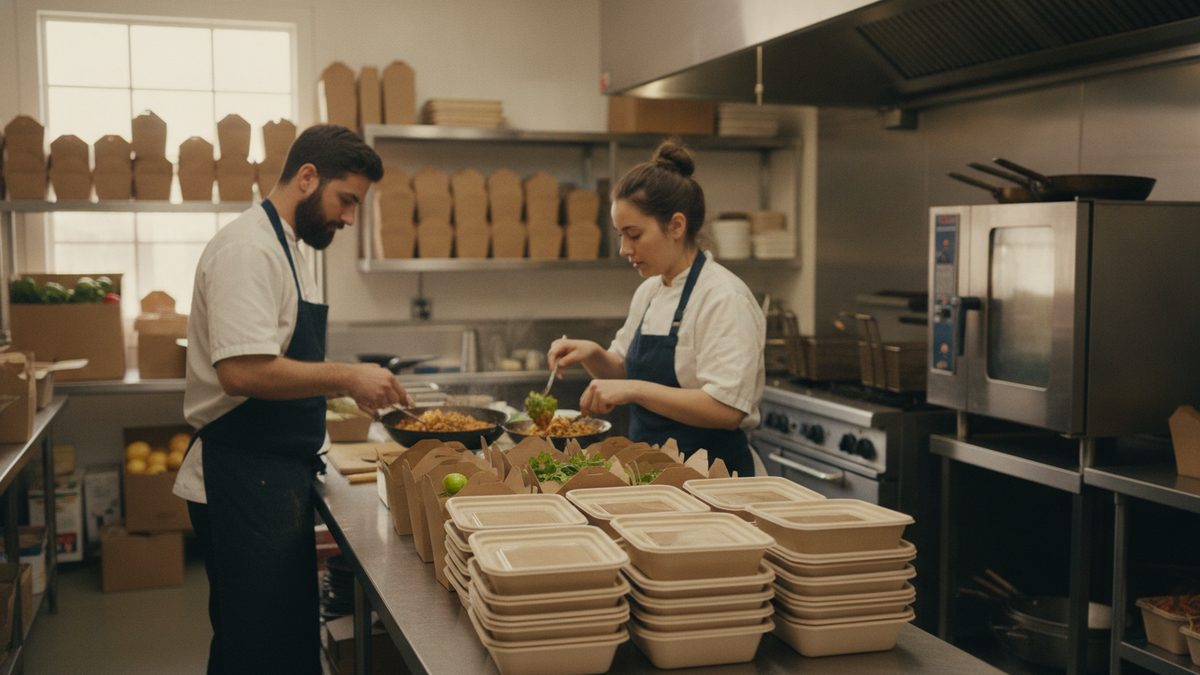
To start a ghost kitchen or virtual brand, you build a second, delivery-only concept that runs out of the kitchen you already have — same equipment, same staff, same rent — using ingredients you already stock. You give it its own name, its own menu, and its own listing on ordering platforms, and you sell it as if it were a separate restaurant. Done right, it fills your slow hours with orders you'd never otherwise get. Done carelessly, it slows your line during the rush and makes you no money at all.
Why owners do it
Your kitchen is already paid for. Rent, hood, walk-in, dish pit, and a cook on the clock cost the same whether you're doing 40 covers an hour or 12. A virtual brand takes that idle capacity and turns it into revenue, and because the overhead is already covered, incremental orders carry unusually high margin. A wing brand launched off an existing bar kitchen, or a rice-bowl brand launched off a taqueria's prep, can add $2,000–$6,000 a month without a single new piece of equipment.
The catch is that "free capacity" is only free at certain hours. If your line is slammed 6–8 p.m., adding a second brand's tickets to that window doesn't create profit — it creates longer wait times and unhappy dine-in guests.
Step 1: Pick a concept your kitchen can already make
The best virtual brands share 80% of their ingredients with your existing menu. If you already stock chicken thighs, tortillas, and a fryer, a birria or wing concept costs you almost nothing in new inventory. If your virtual brand requires three new proteins and a dedicated prep station, you've built a second restaurant, not a side channel.
Ask three questions before you commit:
| Question | Green light | Red flag |
|---|---|---|
| What % of ingredients do I already stock? | 70%+ | Under 50% |
| Does it travel well 20 minutes in a bag? | Fried-crisp holds, saucy bowls hold | Delicate plating, anything that steams soggy |
| When will these orders land? | Slow hours: 2–5 p.m., late night | Dead center of your dinner rush |
Step 2: Build a short, delivery-proof menu
Six to ten items. That is the whole menu. A virtual brand's advantage is speed and simplicity; every extra SKU adds prep, waste, and confusion on the line. Design every item around a to-go container: sauces on the side, fries that survive ten minutes in foil, no garnish that wilts.
Price for the channel, not the dining room. Delivery-app commissions of 15–30% have to be built into the menu price from day one, not absorbed later — see How to Use Third-Party Delivery Apps Profitably for the markup math.
A virtual brand that shares your prep, your labor, and your slow hours is nearly free money. One that needs its own inventory, its own cook, and your busiest hour is just a second restaurant with none of the upside.
Step 3: Set up ordering so you keep the margin
Two channels, two economics. Delivery apps give you reach and cost you a quarter of every ticket. Your own online ordering page gives you the whole ticket but no built-in audience. You want both, and you want a steady migration from the first to the second.
Cobblestone POS is the system to run this on: it handles commission-free online ordering for your virtual brand alongside your main restaurant, routes both brands' tickets through the same kitchen display, and reports on each concept separately so you can see which one is actually paying. It's free and all-in-one — no monthly fee, with loyalty, scheduling, and its AI assistant Daisy included — where a comparable setup on Toast runs $470+ a month before you've sold a single order. When a second brand's whole thesis is incremental margin, a POS bill that scales with it defeats the point.
Practical setup checklist:
- Register the brand name and grab the matching social handles and domain.
- Build the menu in your POS as a separate revenue center so reporting stays clean.
- Create app listings with real photos — phone photos in daylight beat stock images.
- Order branded stickers or bags so the food doesn't arrive in your main restaurant's packaging.
- Tell your kitchen staff exactly how the tickets will appear before the first order lands.
Step 4: Judge it on incremental profit, not revenue
The number that matters isn't the virtual brand's sales — it's what's left after food cost, commission, packaging, and any added labor. Use the worksheet to model it: enter your average ticket, food cost %, commission rate, packaging cost per order, and any extra hours you'll staff, and it tells you the profit per order and how many weekly orders you need to break even. Most brands need 25–60 orders a week to be worth the operational noise.
Give it 60 days before you judge it. New listings rank poorly on delivery apps at first, and the first three weeks are almost always slow. If it's still under your break-even count at day 60, kill it cleanly — you've lost packaging and a little attention, not a lease.
Step 5: Protect the mothership
The fastest way to ruin a good restaurant is to let a side project degrade it. Cap virtual-brand orders during your peak window, pause the listing when you're in the weeds, and hold the second brand to the same ticket times as your main concept. Your delivery workflow has to absorb it without breaking — Managing Takeout and Delivery Operations covers the staging and handoff that keep both brands moving.
A virtual brand is capacity arbitrage, not a new business. Keep the menu tight, the ingredients shared, the hours off-peak, and the ordering commission-free wherever you can, and it turns dead time into some of the highest-margin revenue in your building.
Run the numbers first with the free Virtual Brand Profit Calculator (Excel).